NewKumoNotch for iPhone Let me cookA focus timer that sets like the sun

The free notch app for Mac

Everything you glance at,
in the notch.

A quiet little dashboard in your Mac’s notch. Hover to open. Move away and it’s gone.

Version 0.2.0 · 2.8 MB · macOS 15+ · Apple silicon & Intel

Free · iPhone · iOS 26+ · Collects no data

Hover the notch

A day with KumoNotch

One notch.
A whole day of glances.

  1. Morning playlist. Skip a song without leaving your work.

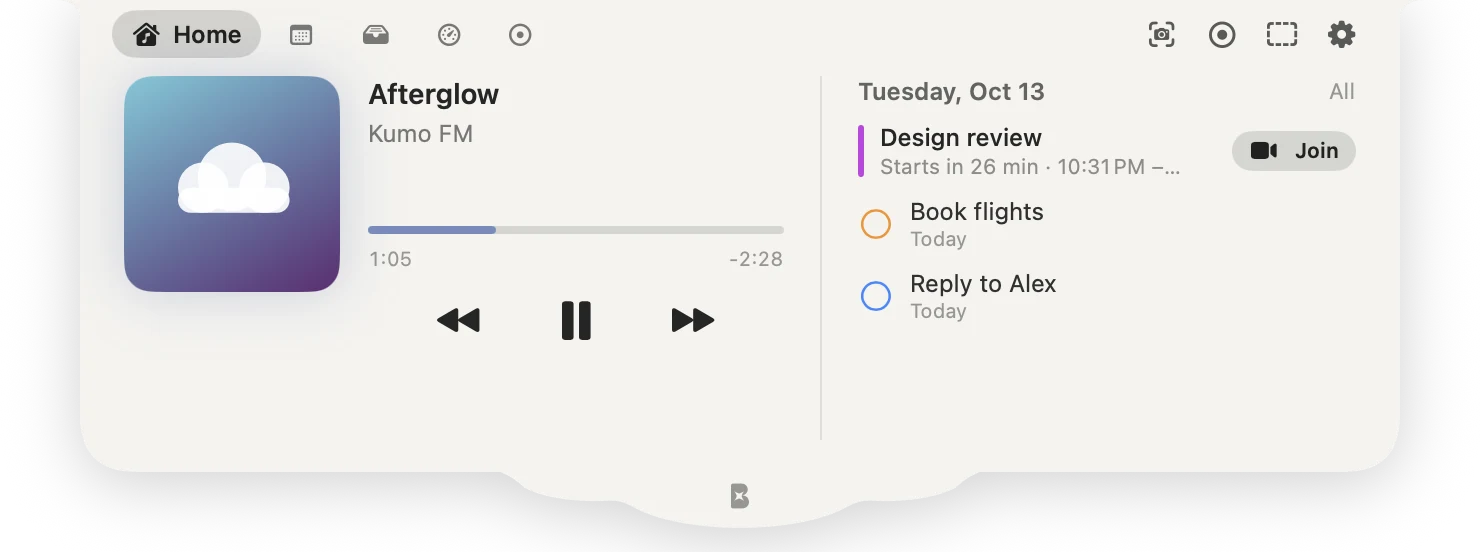
    The Home page: what’s playing, with artwork and controls, beside today’s events and reminders.
  2. Design review in five. Join it straight from the notch.

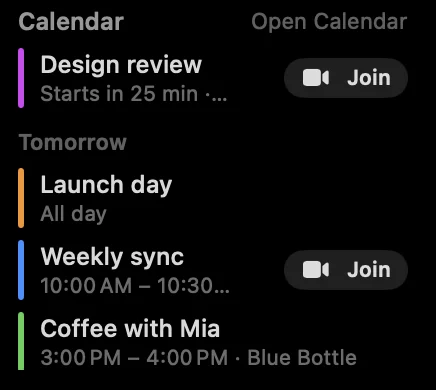
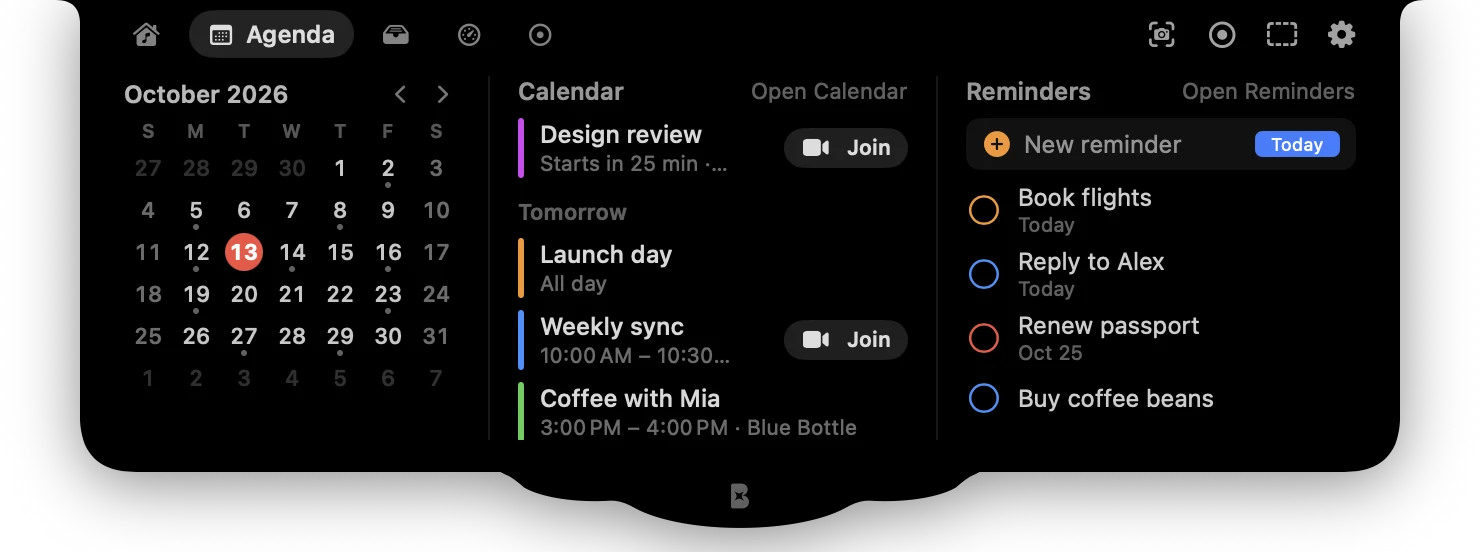
    The Agenda page: a month calendar, upcoming events with Join buttons, and reminders.
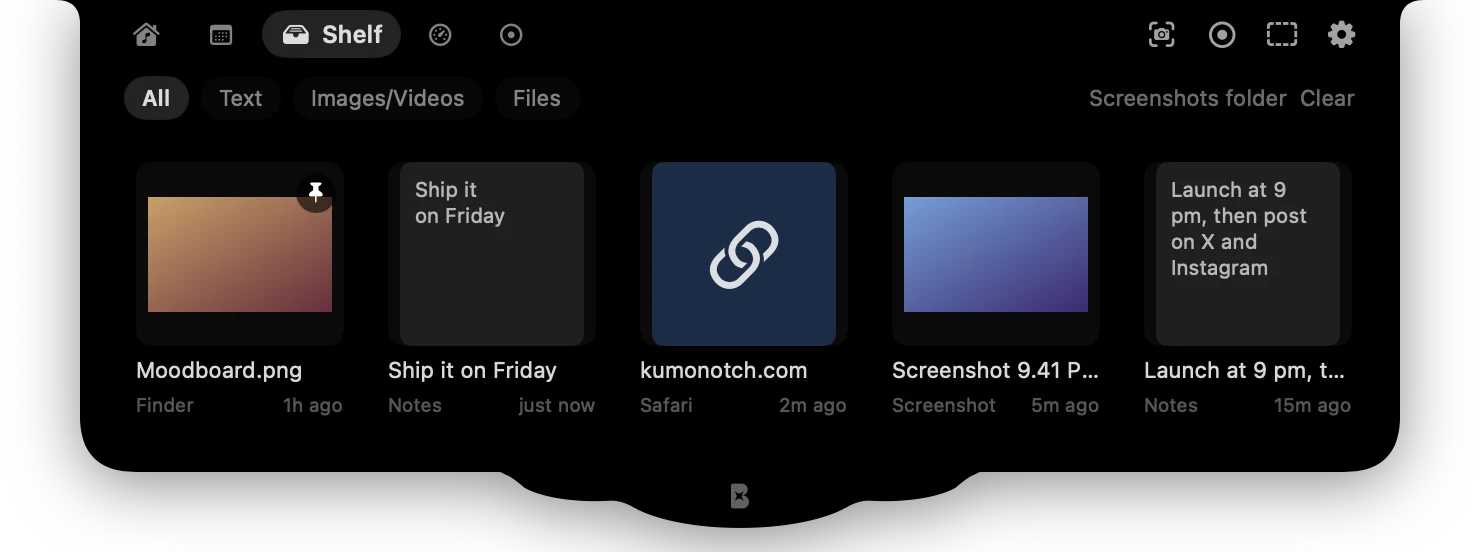
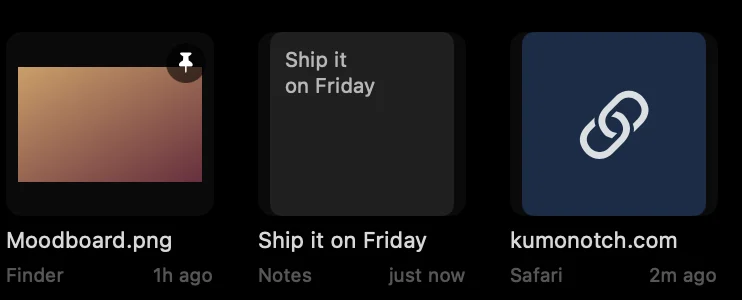
  3. The link you copied? It’s still on the shelf.

    The Shelf page: recently copied text, links and screenshots.
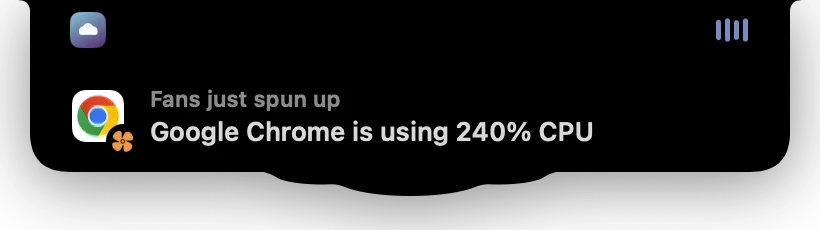
  4. Fans just spun up. The notch tells you which app did it.

    A fan alert dropping from the notch: “Fans just spun up. Google Chrome is using 240% CPU.”
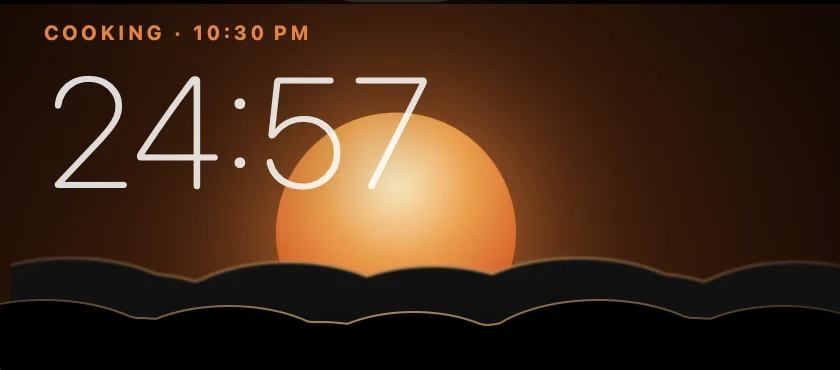
  5. Deep in the build. Let me cook keeps time, then sends you outside.

    The Cook page: a large countdown over a sun setting into a sea of clouds.

Now playing

Whatever is playing,
right where you look.

Apple Music, Spotify or a video in your browser. If your Mac knows it’s playing, the notch shows it.
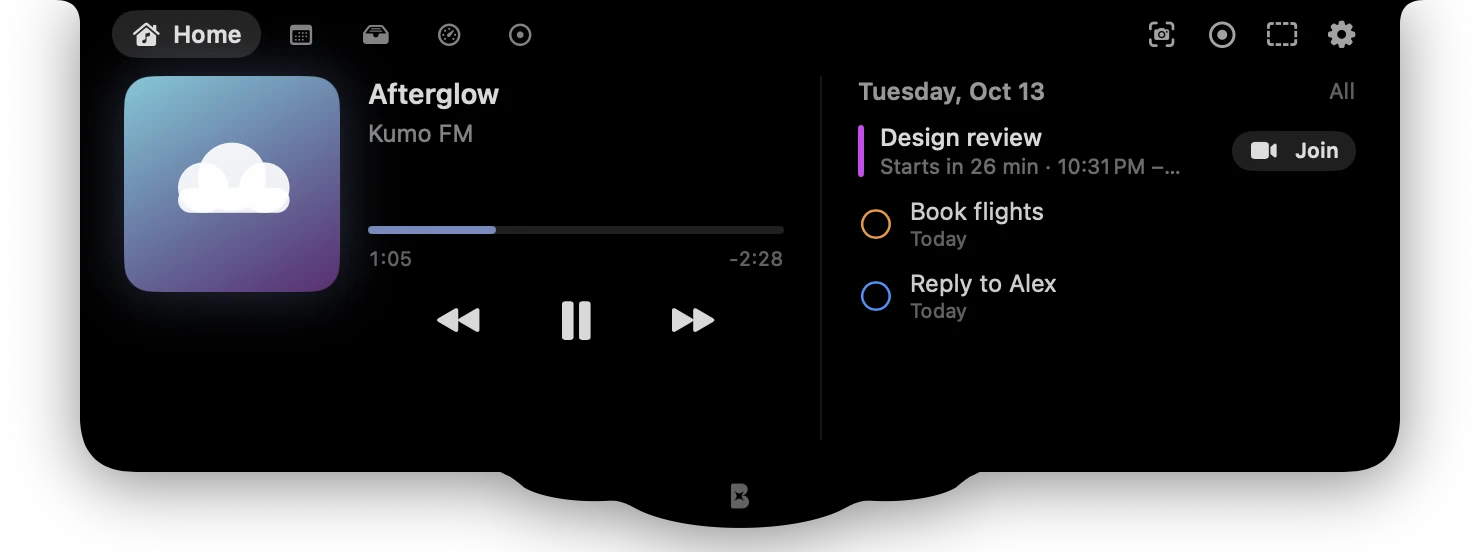
The Home page: what’s playing, with artwork and controls, beside today’s events and reminders.
  • Control it in place. Scrub, skip and pause without switching windows.
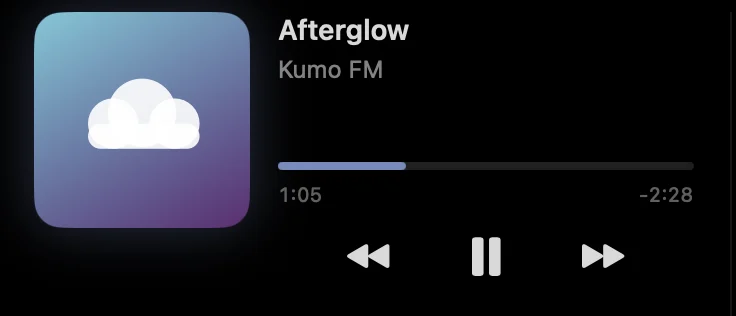
  • Artwork when open. Cover art, a scrubbable progress bar and playback controls.
  • A visualizer when closed. Artwork on one side, bars tinted from the cover on the other.
Agenda

Never be the one
who joins late.

Today and tomorrow at a glance, and one Join button for the meeting link in your event.

The Agenda page: a month calendar, upcoming events with Join buttons, and reminders.
  • One Join button. Zoom, Google Meet, Teams, Feishu, Tencent Meeting and Webex.
  • A heads-up before. Five minutes before a meeting, the notch drops down to remind you.
  • Reminders too. A month view, and reminders you can tick off or add without leaving what you’re doing.

Shelf

A pocket for what
you just copied.

Everything you copy lands on the shelf: text, links, images and files.

The Shelf page: recently copied text, links and screenshots.
  • Copy it again. Click anything on the shelf to put it back on the clipboard.
  • Drag it anywhere. Drag out into any app, pin what you want to keep, or park a file on the notch for later.
  • Secrets stay secret. Anything a password manager marks as secret is never recorded.

System

Why are the fans
suddenly loud?

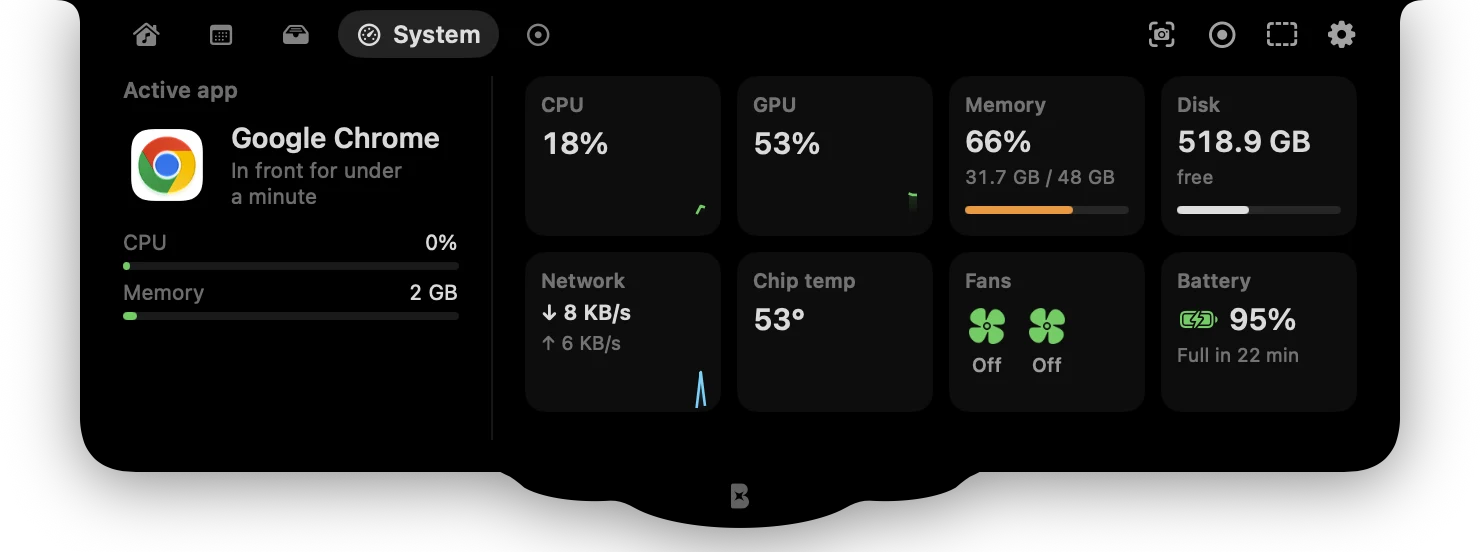
See how much CPU and memory the app in front of you is using, including its helper processes.

The System page: the app in front, CPU, GPU, memory, disk, network, chip temperature, fans and battery.

A fan alert dropping from the notch: “Fans just spun up. Google Chrome is using 240% CPU.”

  • It names the app. When the fans spin up, the notch tells you which app did it.
  • The whole Mac, too. CPU, GPU, memory, disk, network, chip temperature and battery, with sparklines.
  • Real fan speed. The fan icons spin at your fans’ real speed, and say “Off” when they’ve stopped.

At a glance

Pick what lives
beside the notch.

When KumoNotch is closed, each side of the notch can show one thing you care about: your next event, your most urgent reminder, CPU, memory, network, chip temperature, the fans, battery, or the app you’re in. It widens for text and shrinks back for numbers.

The closed notch with artwork on the left and a visualizer on the right.
The closed notch during Let me cook: a ring that empties and the minutes left.

NewLet me cook

Stay in the zone.
Don’t get lost in it.

Building with AI is the best kind of flow, and the easiest way to lose three hours without noticing. Let me cook is a focus timer that lives in your notch. Pick how long to cook and how long to rest, then forget about it. When time’s up, the sun sets and KumoNotch tells you to go touch grass.

The Cook page: a large countdown over a sun setting into a sea of clouds.

It lives where you already look.

No window to keep open, no menu bar icon to hunt for. While you cook, a small ring beside the notch empties and the minutes count down, so you feel time passing without checking a clock.

It ends with a sunset, not an alarm.

When focus is over, the notch drops down with a little sunset, glows, and says “Go touch grass.” Your break starts on its own. When it ends, KumoNotch asks if you’re ready to cook again.

Made for “one more prompt”.

One shortcut starts it. Press it again mid-session and it shows the timer instead of throwing your session away. In the middle of a thought? Add five minutes.

Press ⌃⌥C to start, or open the Cook page with ⌃⌥5. Focus for 5 to 180 minutes, rest for 1 to 60. Free, like the rest of KumoNotch.

NewOn iPhone

Let me cook,
now on iPhone.

A free companion app for your phone. Start a round and the countdown follows you into the Dynamic Island and onto the Lock Screen. It keeps a lunar calendar with tonight’s Moon, too.

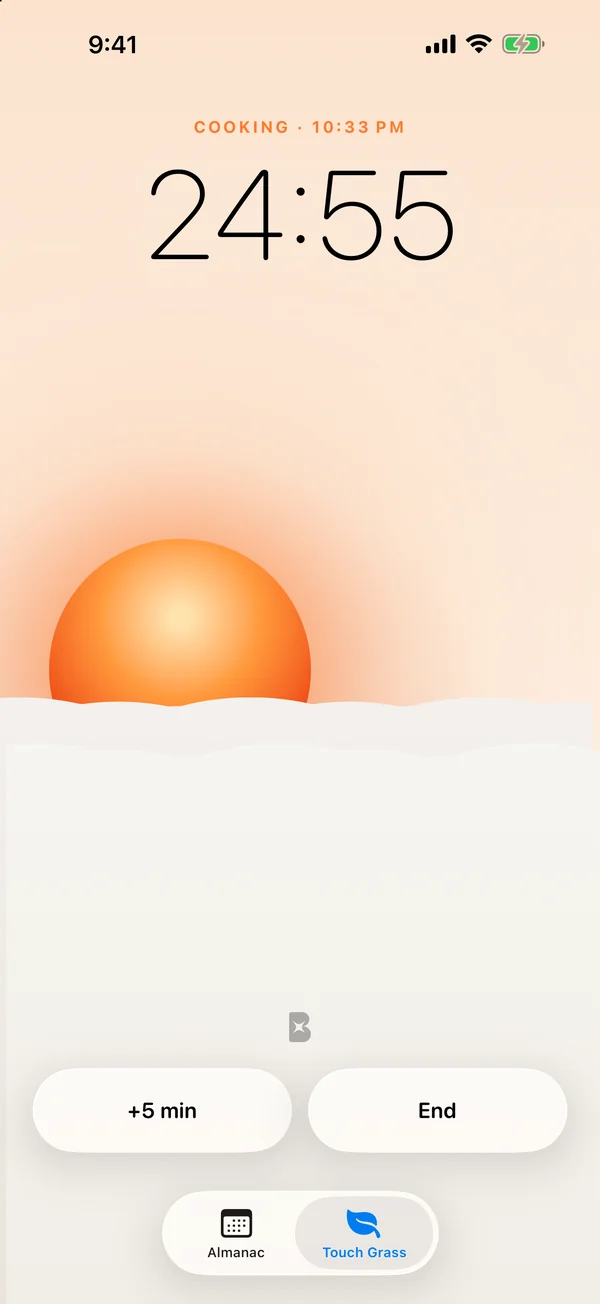
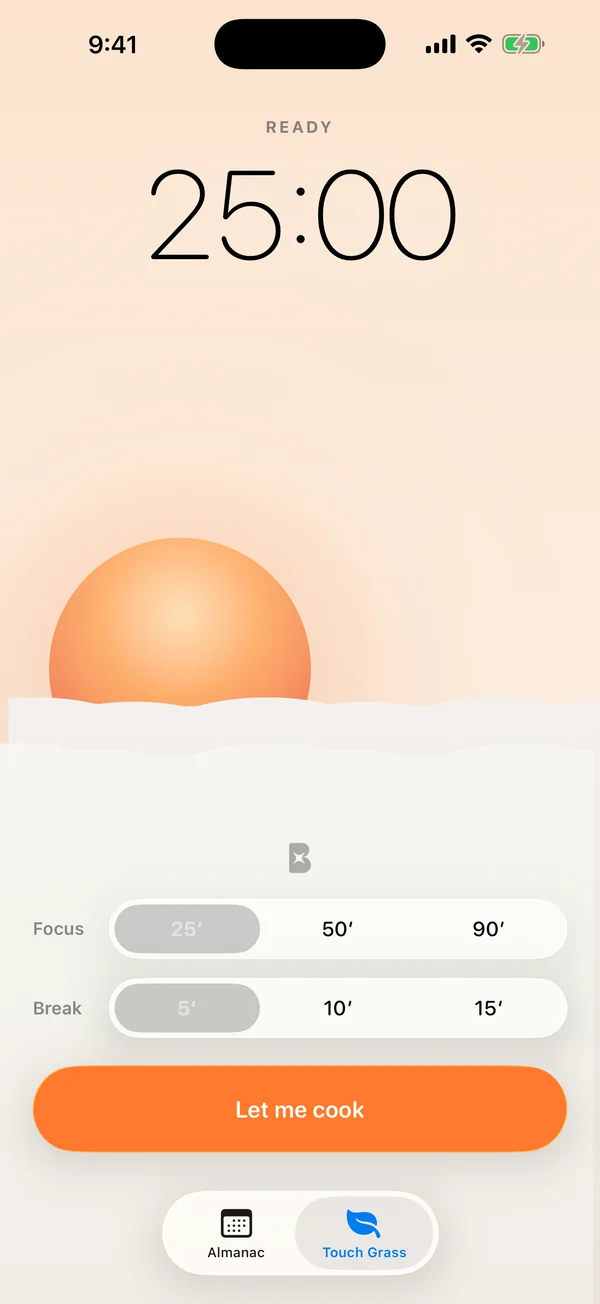
The Touch Grass page: a 24:55 countdown over a setting sun, with +5 min and End buttons.
Cooking
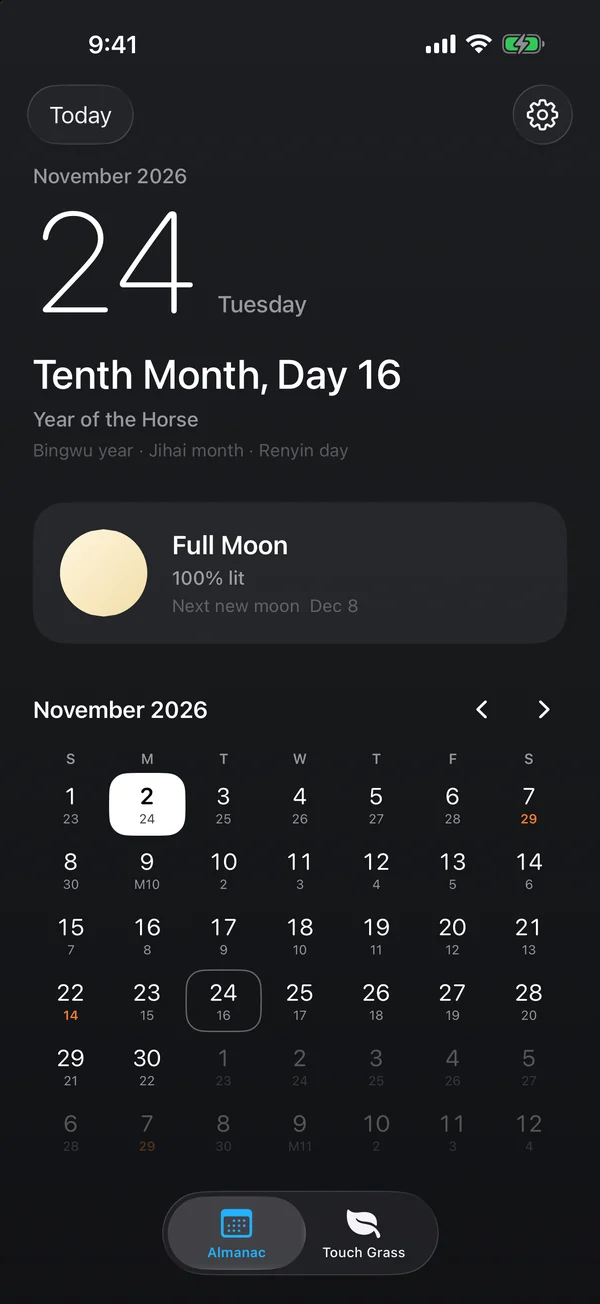
The lunar calendar in dark mode: Tenth Month, Day 16, a full moon card, and the month with lunar dates under each day.
Lunar calendar
Choosing a round: 25, 50 or 90 minutes of focus and a 5, 10 or 15 minute break, then Let me cook.
Pick a rhythm

In the Dynamic Island.

Leave the app and the countdown stays in view, in the Dynamic Island and on the Lock Screen. Add five minutes or end the round without opening anything.

A lunar calendar.

Today’s lunar date beside your own, the 24 solar terms, and festivals from Lunar New Year to Mid-Autumn.

Tonight’s Moon.

Its phase, how much of it is lit, and when it is next full. Home Screen and Lock Screen widgets too.

Get it on the App Store

Free · iPhone · iOS 26+ · Collects no data

Appearance

Light, dark,
and real glass.

Follow the system, or pick light or dark in Settings. Every page has both. On macOS 26 and later, a see-through notch is real Liquid Glass, tinted with your colour.

KumoNotch in light mode
KumoNotch in dark mode

Shortcuts

Everything is
one shortcut away.

⌃⌥S grabs an area, copies it and puts it on the shelf, ready to drag into a message. ⌃⌥R starts and stops a screen recording, with a timer in the notch while it runs.

⌃⌥S
Screenshot an area
⌃⌥R
Start / stop recording
⌃⌥C
Let me cook
⌃⌥V
Open the shelf
⌃⌥Space
Open / close the notch

Privacy

Your data stays
on your Mac.

No account

Nothing to sign up for. Download it, open it, and it works.

No server

Your clipboard history, calendar and system stats never leave your Mac.

One network request

Once a day it asks GitHub for the latest version number. You can turn that off.

Read the privacy policy

Who makes it

Made by one person.

I’m Billy, an engineer who makes useful, fun, cool things with AI. KumoNotch is one of them, made for people who live in two languages. It’s free. If something feels off, I want to hear it.

Meet the developer ↗

FAQ

Before you install.

Is KumoNotch free?

Yes. It’s free to download and use, with no account and no ads.

Is Let me cook just a Pomodoro timer?

It works like one: focus, then a break, at lengths you choose. The difference is where it lives and how it ends. The time is always beside the notch, and instead of an alarm you get a sunset and a nudge to stand up. It’s built for the way building with AI swallows hours.

Which Macs does it work on?

Any Mac on macOS 15 or later, Apple silicon or Intel. On a MacBook it lines up with the camera notch; on screens without a notch it draws one at the top center (you can turn that off).

Why does it ask for permissions?

Calendars and Reminders to show your agenda, and Screen Recording only if you use screenshots or recording. Everything else works without them.

Does it send my data anywhere?

No. Your clipboard history, calendar and system stats stay on your Mac. KumoNotch has no account and no server. The only thing it asks the internet is GitHub, once a day, for the latest version number, and you can turn that off.

How do I get updates?

KumoNotch checks once a day whether a newer version is out and tells you in the notch. Download it from Settings, then drag KumoNotch into Applications to replace the old one.

Make the notch
worth looking at.

Free. No account. Any Mac on macOS 15 or later, and now iPhone on iOS 26.

Version 0.2.0 · 2.8 MB · macOS 15+ · Apple silicon & Intel

Free · iPhone · iOS 26+ · Collects no data